Most small businesses try to store their processes in one of four places.
A shared Google Drive. A Notion workspace that started clean and got messy fast. A binder on a shelf nobody opens. Or worse, in the owner's head.
None of those are systems software. And somewhere between "nothing" and "enterprise BPM suite", there's a tool that actually fits a 10-person to 50-person business.
Here's how to find it.
What small business systems software actually needs to do
Before you look at features, get clear on the job you're hiring the software for.
Small business systems software needs to do five things well:
- Store your documented systems in one searchable place. One source of truth. Not five.
- Give role-based access so the right people see the right systems. Your finance team doesn't need every SOP in sales.
- Support video, checklists, and step-by-step instructions. Not just walls of text. Some tasks are better shown than written.
- Track who's followed what. So you know your systems are being used, not just sitting there.
- Scale from 10 systems to 500 without becoming painful to manage.
If the tool can't do those five things, it's not systems software. It's a document library with a login.
Six criteria for choosing the right software
When you actually sit down to evaluate options, use these six criteria. They're ordered by importance.
Use these six criteria to evaluate any tool on the market.
- Simplicity, your team will actually use it (no 30-minute training videos).
- Search, anyone can find the right system in under 30 seconds.
- Owner assignment, every system has a name on it.
- Template library, at least 100 templates included to skip the blank page.
- Integration, plugs into your existing CRM and project management stack.
- Price point, an obvious line item, not a CFO debate ($100-$300/month for small teams).
Pass on anything that fails more than one of these.
1. Simplicity
Your team needs to actually use it. Overkill software sits unused.
If the platform needs a 30-minute training video just to add a system, you've already lost. The team won't touch it. Look for tools where a new hire can find and follow a system inside five minutes.
2. Search
Can anyone find the right system in under 30 seconds?
This is the single most important feature. A library of 200 systems nobody can find is worse than 20 systems everyone uses. Test the search before you buy. Type in fuzzy queries. Misspell things. If it doesn't find what you need, neither will your team.
3. Owner assignment
Every system needs a name on it.
When nobody owns it, nobody updates it. When nobody updates it, it goes stale. When it goes stale, the team stops trusting it. And when the team stops trusting it, you're back to "ask the owner".
4. Template library
The difference between a blank page and a starting point is massive for a small business.
You don't have a full-time systems team. You need templates you can customise, not frameworks you have to invent from scratch. 100+ templates out of the box is a realistic starting point.
5. Integration
Does it plug into the rest of your stack?
If your CRM, project management tool, and documentation platform live in separate silos, your team has to context-switch all day. Look for tools that connect cleanly to what you already use.
6. Price point
The software should be an obvious line item, not a CFO debate.
Under $200 a month for a small team is reasonable. Over $500 a month means you're paying enterprise prices for features you won't use. Walk away from anything that wants to charge per document.
Red flags to avoid
Some tools look good on the surface and trap you later. Watch out for these.
- Software that requires a consultant to set up. "Enterprise-friendly" usually means "small-business hostile". If you need a certified partner just to turn the thing on, it's the wrong tool.
- Tools that price per-document instead of per-user. This punishes documentation. The whole point of systems software is to encourage more documentation, not charge you for it.
- No way for the team to leave notes or comments. Systems improve when the people using them suggest improvements. If there's no feedback loop inside the tool, improvements die.
- "We'll build your SOPs for you" services. Tempting, but dangerous. You end up dependent on the vendor. The knowledge still doesn't live in your team. When you leave the service, the systems leave with them.
What most small businesses actually pick
Let me give you the honest ranking.
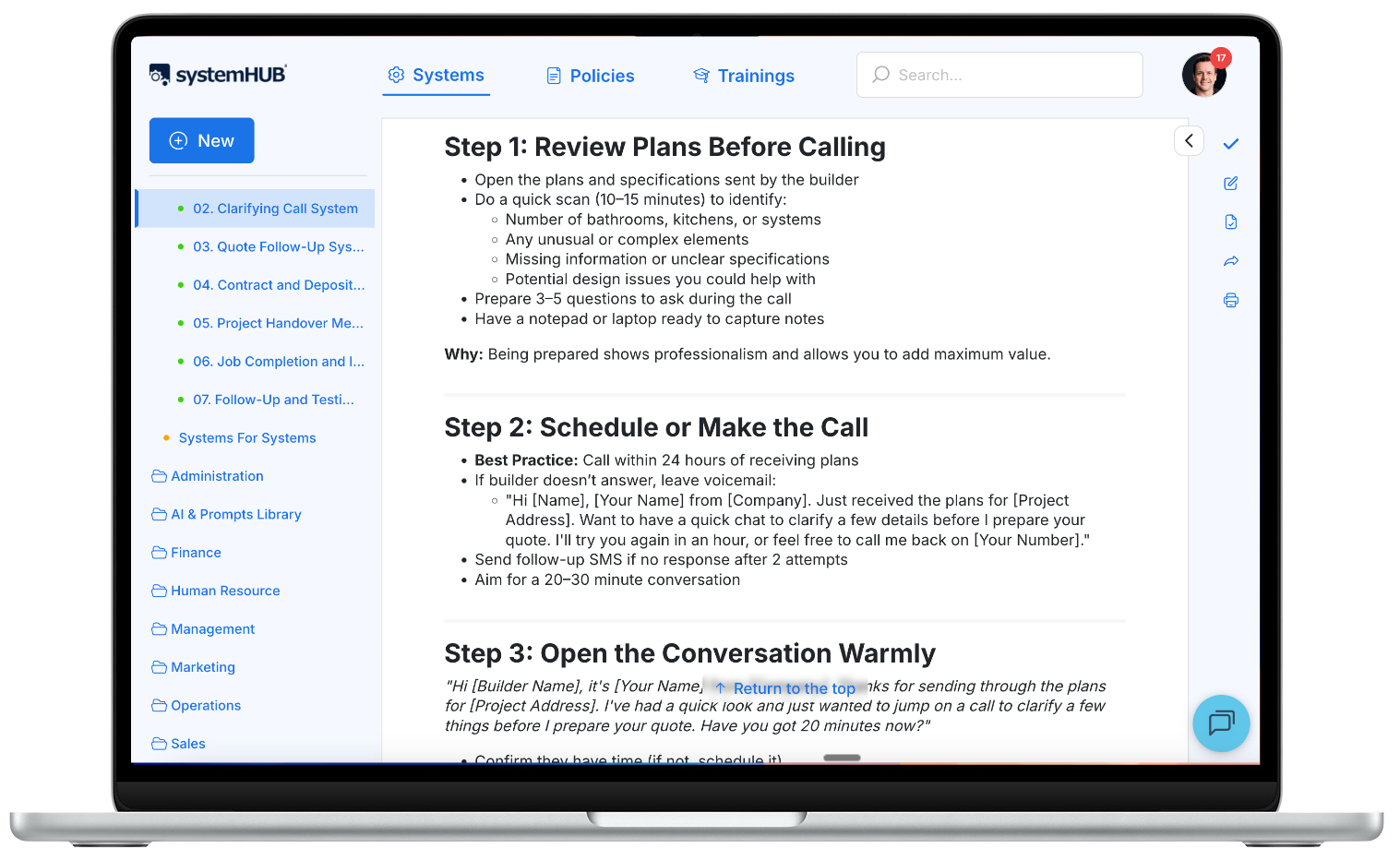
Best all-rounder for SYSTEMology users: systemHUB
Full disclosure: I built systemHUB. So take this with the grain of salt it deserves. But here's why it's my first recommendation.
It's purpose-built for small business. Not stripped-down enterprise software. Not a generic wiki pretending to be process software. It does the five core jobs above and nothing else.
You get 100+ templates included. Role-based access out of the box. Support for video, text, and checklists. A Systems Champion dashboard so you can see what's being followed. And a price point that works for a 10-to-50 person business.
Serviceable alternative: SweetProcess
For teams under 10 people with modest needs, SweetProcess works. It's simpler than systemHUB but also has less depth. No template library to speak of. No Systems Champion role built in. Fine as a starting point.
If you want the head-to-head, I wrote a full systemHUB vs SweetProcess comparison.
Hack option: Notion or Google Drive
If you have fewer than five documented systems and you're just getting started, a shared Google Drive folder works. A well-organised Notion workspace works too.
Both break down fast once you cross 20 or 30 systems. Search gets clumsy. Version control becomes a mess. People stop trusting the content. But as a starting point, either is fine.
Don't pick
- Confluence. Enterprise tool. Overkill for small business.
- Process Street. The per-process pricing model punishes documentation. Wrong incentives.
- Asana or ClickUp. These are task managers, not systems managers. Different job.
Case study: Chris Dinham, Summit Web
Chris runs Summit Web, a boutique digital agency in Australia. For years, the business lived on his shoulders. Every client question came to him. Every new hire had to shadow him for months before they were useful.
He was stuck. Not because he wasn't working hard. Because everything he knew about the business was trapped in his head.
Chris implemented systemHUB as his single source of truth. He moved his agency's processes into one place. Client onboarding. SEO workflows. Reporting templates. Every repeatable task documented once, stored once, accessible to anyone on the team.
The result? The next new hire didn't need to shadow Chris for three months. They followed the documented systems in systemHUB from day one. They were productive within weeks.
Chris started delegating work he used to hold on to. He built a team that could run without him. The business became a scalable operation instead of a one-man show.
Chris calls it a "single source of truth". That phrase matters. Not a collection of documents. Not a library. A single place the team trusts to find the answer.
That's what the right systems software does.
Case study: Shannon Smit, SMART Business Solutions

Shannon runs an award-winning accounting and international tax firm in Australia. The firm specialises in transfer pricing, a highly technical, globally regulated niche. The kind of work where one missed detail can cost a client six figures.
Shannon was working 70-hour weeks. Growing the firm meant making herself the bottleneck. Delegation was impossible because the knowledge lived in her head.
She enrolled her team in the Systems Champion Academy and appointed a Systems Champion. They mapped the Critical Client Flow. Then they moved every core process into systemHUB.
Once the systems were documented, something else became possible. They layered AI on top. Automated parts of the workflow that had previously required manual review. The result was 998 hours saved in a single year. Roughly half a full-time employee, reclaimed.
But here's the important bit: the AI didn't work until the systems were documented. The software choice enabled the automation layer.
That's the pattern. Get your systems into the right place first. Then you can build on top of them.
The caveat: software won't fix a systems problem
Here's the mistake most business owners make.
They buy software before they have documented systems. Then they wonder why nothing changes.
Buying systems software before you have systems is like buying a library before you have any books. The shelves don't write the books. The software doesn't document the processes. You still have to do that work. The software just gives it a home.
This is the same principle I wrote about in process first, then AI. You can't automate what you haven't documented. You can't systemise with software if the systems don't exist.
Document first. Then choose the software to hold what you've documented.
If you're not sure where to start, map your Critical Client Flow first. That's the 10 to 15 steps that deliver value to your customers. Document those systems, then put them into whatever platform you've chosen.
And make sure you've appointed a Systems Champion to drive the work. Software alone won't do it. Neither will you. You need someone on the team whose job is to make the systems real.
The bottom line
Most small businesses overthink the software choice. They read comparison posts. They run 30-day trials of six different tools. They end up with nothing documented and three half-finished workspaces.
Don't be that business.
Pick simple. Pick something your team will actually use. For most SYSTEMology-aligned small businesses, that's systemHUB. For others, use the six criteria above to evaluate what fits your context.
Simple beats perfect. Always.
The software you pick is the Tools pillar of a systemised business. For how Tools stack with Documentation and Culture to actually make systems stick, see The Three Pillars of a Systemised Business.
The right software is one piece of the puzzle. The outcomes it enables, scale, freedom, profit, speed, and sellability, are covered in The 7 Outcomes Every Systemised Business Actually Delivers, including three calculators that quantify what you stand to gain.
Ready to stop storing your business in your head? systemHUB gives you one place to build, store, and share every system in your business. It comes loaded with 100+ templates to get you started. Try it free.