Most inefficient businesses don't have a productivity problem. They have a workflow problem.
The team is working hard. The owner is working harder. Hours are long and inputs are high. Outputs should be much better than they are, but somehow there are always balls dropped, emails chased, handoffs missed, and last-minute fires.
That's the signature of a broken workflow. Not lazy people. Not bad tools. A path the work has to travel that is longer, messier, and more owner-dependent than it needs to be.
Designing an efficient workflow is one of the highest-leverage things a small business owner can do. It doesn't require new hires or new software. It requires drawing the path the work actually takes and asking better questions about each step.
Here's how.
What "efficient" actually means
Efficient is not the same as fast.
You can do the wrong thing quickly and be efficient at nothing. You can add more people to a broken process and speed it up while making it worse. You can add more software and end up with the same mess, just digitised.
Efficient means: the work gets done with the fewest handoffs, the clearest ownership, and the least rework. Speed is a side effect of getting those three right.
When a workflow is well-designed, three things are true. One person is responsible for each step. Every handoff has an explicit trigger and format. The work rarely comes back because of something that could have been caught upstream. Everything else, speed, cost, quality, flows from those three.
Most small business workflows fail at least one, often all three.
The five principles of workflow design
These are the rules that separate a good workflow from a smooth one.
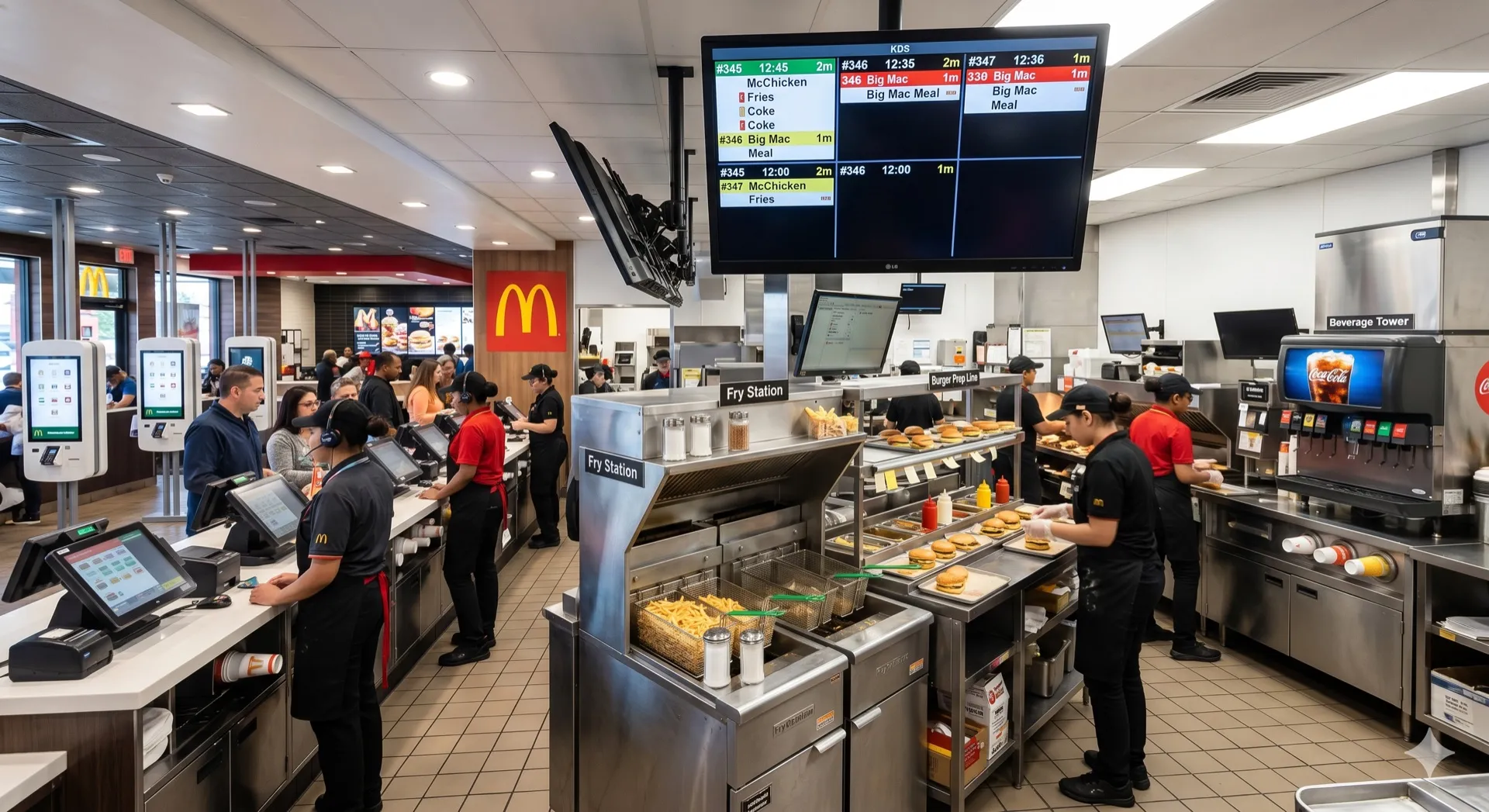
1. One owner per step
Every step in the workflow has exactly one name next to it. Not a department. Not "the team." A person.
Shared ownership is nobody's ownership. If two people are responsible for the handoff from sales to delivery, it will fail half the time and neither of them will feel bad about it. Pick one. Hold them to it.
2. Every handoff has a format
When work moves from one step to the next, there is a defined thing that gets passed.
A completed form. A specific file with specific fields filled. A Slack message in a specific channel with a specific template. A ticket in a specific status.
Informal handoffs are where workflows die. "Just chuck me a quick note when it's done" is not a handoff. It's a hope. If the next person has to go searching for what they need, the workflow is broken.
3. Triggers are explicit
The next step starts because something specific happened, not because someone remembered.
A trigger can be an event ("proposal signed"), a status change ("ticket moves to ready"), a time ("Monday 9 AM"), or a signal from another system ("payment received webhook").
If your workflow depends on someone remembering, it will fail during busy weeks, holidays, and anywhere someone leaves. Triggers make the flow run itself.
4. Rework loops get redesigned, not tolerated
Every time work comes back to a previous step, the system is telling you about a missing upstream check.
Most teams treat rework as unavoidable. It isn't. Every rework loop is a clue. Follow it back one step and add the check that would have caught it. Over six months you can eliminate 70%+ of the rework in a typical workflow just by following the loops upstream.
5. The owner is not a workflow step
Most broken workflows have the owner in the middle, three times, as the implicit check.
Quotes come to the owner. Difficult clients come to the owner. Sign-offs come to the owner. Client queries that could be handled by the team come to the owner.
If the owner is a step in the workflow, the workflow cannot scale past the owner's availability. Design owner-bypass into the flow. The owner should appear only where their judgement is genuinely required, not as the default safety net.
How to map a workflow (end to end)
This is a one-hour exercise. Get it right once and use it for everything downstream.
Current state, pain points, future state. Pen, paper, one hour, one workflow.
- Step 1 (10 min). Pick one workflow. The one you complain about most, or the one the owner is most involved in.
- Step 2 (20 min). Draw the current state. Every step, every handoff, every tool. Include the informal steps nobody talks about.
- Step 3 (15 min). Mark every pain point, rework loops, handoffs without a format, places the owner appears, decisions that take more than a day.
- Step 4 (15 min). Design the future state. One owner per step, every handoff has a format, explicit triggers, owner out of the middle except where judgement is required.
Result: A design document. The work from here is closing the gap between current and future state, one step at a time.
Gary McMahon and the science of project consistency
Gary McMahon runs Ecosystem Solutions, an environmental consultancy delivering ecological assessments and compliance reports. Professional services work with a scientific twist. Every project involves fieldwork, data collection, analysis, and regulator-ready reporting.
Consulting of this type has a specific workflow problem: the work is variable in subject but highly consistent in structure. Every project does roughly the same sequence of things. Same categories of data collected. Same analyses run. Same report sections produced. Different sites, different species, different clients, same underlying flow.
But without documented systems, every project became a slightly different experience. A new consultant would onboard and learn "the Ecosystem Solutions way" from whoever happened to be nearest that week, and the way would drift by project. Quality was high, because the people were high-calibre, but consistency depended on individuals remembering.
Gary's team built systemHUB into the spine of their operation. Each stage of a project workflow, from initial client scope to final regulator-ready report, got a documented process, a named owner, and a format for the handoff to the next stage. Onboarding a new consultant went from "shadow someone for six weeks and hope you pick it up" to "follow the documented flow and you're productive in days."
What matters about this story is what it implies for any small business. Ecosystem Solutions is in a high-stakes, compliance-sensitive category where inconsistency is not a style issue, it's a legal liability. They couldn't afford workflow drift. But the same principles apply to a plumbing business, an accounting firm, a design agency, or a retail operation. The pattern is universal. Map the flow. Define the handoffs. Name the owners. Remove the founder from the middle. The business gets consistent, and consistency is the platform everything else stands on.
A trap: over-engineering the flow
Here's where smart owners go wrong.
They map the workflow properly, see the problems, and then design a beautiful future state that requires new software, a new role, and six months of project work to implement.
By the time they're halfway through the rollout, the team has quietly reverted to the old way, the software is half-configured, and the project gets quietly dropped. Nothing changes.
The rule: improve what you have before you replace what you have. A workflow you can fix in its current tools this week beats a perfect workflow you'll implement in six months. Most handoff problems can be fixed with a shared template, a named owner, and a weekly check-in. That's it.
Save the big replatforming project for when you've already proven the new flow works on paper and the team is asking for better tools to support it. Bottom-up change sticks. Top-down replatforming rarely does.
How this fits with the rest of the system
Workflow design is one layer of a larger picture.
Above it sits your Critical Client Flow, the map of the entire client journey through the business, usually 10-15 stages from first contact to repeat purchase. Workflow design is how each stage actually works in practice.
Next to it sits your system library, the documented how-to for each discrete process the team follows. A workflow describes the path. A system describes how each step in the path gets done.
And underneath it sits your role clarity. Workflows are only as good as the roles they run on. If "one owner per step" is the principle, your org chart has to make that possible. You cannot run clean workflows on top of fuzzy roles.
The payoff, when all three layers line up, is that the business becomes legible. Anyone, a new hire, a visiting consultant, a potential acquirer, can understand how the business works in half a day. That legibility is the thing that lets a business scale, sell, or run without the owner in the centre.
The playbook, in five lines
Efficient workflow design is not about software, productivity hacks, or squeezing more hours out of the team.
It's about five simple principles. One owner per step. Explicit handoff formats. Clear triggers. Rework loops redesigned upstream. The owner out of the middle.
Pick one workflow. Map it end to end. Mark the pain points. Design the future state. Close the gap one step at a time. When that one's working, pick the next.
Do this for your top three workflows over the next quarter and the business will feel different. Less friction. Fewer fires. More predictable output. A team that knows what to do without asking.
That's how you design an efficient business. One workflow at a time, honestly mapped, cleanly owned.
Want to see how your workflows are actually performing? Start with the Systems Strength Test, a 9-dimension diagnostic that surfaces the workflows most likely to be leaking time and money. Then use a systemHUB free trial to give your workflows a home with named owners and clear handoffs.